
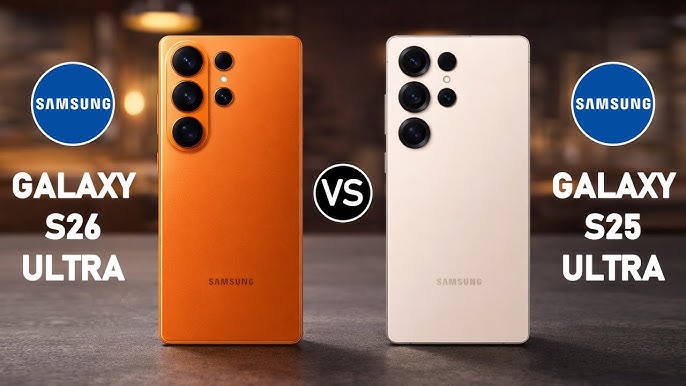
Samsung didn’t just “refresh” the S-series this year — the S26 line brings real display changes compared to the S25. Some upgrades are obvious (screen size tweaks and slimmer borders), and some are the kind you only notice once you’re using the phone every day (like viewing angles and privacy behaviour).
If you’re searching because you’ve cracked a screen, you’re probably asking a very practical question:
Is the S26 screen basically the same as S25… or is it a different beast to replace?
Here’s the simple breakdown — what changed, why Samsung changed it, and what it means when you’re comparing options for Samsung screen repair.
To compare models and services across the whole range, start here:
Samsung Galaxy S-Series repairs hub: https://www.irepairexperts.com.au/repair/samsung-galaxy-s-series/
1) The S26 display is slightly bigger (and the bezels are tighter)
Samsung has pushed the screen a little further, with subtle size changes and a more “edge-to-edge” look.
Why that matters in the real world:
-
Tighter bezels can make the phone feel more immersive.
-
But slimmer borders also mean the display area is closer to the edges, which can change how impacts affect the panel (drops that might have been “just glass” on older designs can be harsher near edges).
Even if you don’t care about specs, you’ll notice it when you pick up the phone: S26 feels like a cleaner slab of screen than S25.
2) S26 Ultra introduced “Privacy Display” (and that’s a big change)
This is the headline difference, and it’s not just a marketing name.
The S26 Ultra’s Privacy Display is designed so the screen looks normal head-on but becomes harder to read from side angles — basically reducing shoulder-surfing in public spaces. It’s aimed at the way people actually use phones now: commuting, cafés, open-plan work, shared spaces.
What’s important here:
-
This feature is not simply a screen protector effect
-
It’s tied to how the panel behaves at different angles
So if you’re comparing S25 Ultra vs S26 Ultra specifically, the S26 Ultra display isn’t “the same screen again.” Samsung changed the display behaviour in a meaningful way.
3) Viewing angles and “screen feel” are now part of the Ultra identity
On older models, most people judged screens by:
-
brightness
-
colour
-
responsiveness
-
and whether the OLED looks clean
With S26 Ultra, Samsung is leaning into a different kind of everyday premium:
privacy + comfort in public.
That matters because when the display becomes a signature feature, people start noticing small differences more:
-
Does it look the same from angles?
-
Does it feel the same in bright environments?
-
Does the screen behave consistently for work apps, banking, messaging?
In other words, Samsung is turning the screen into more than “a panel.” It’s part of the Ultra experience.
4) Why Samsung made these changes (it’s about modern phone life)
Samsung didn’t add Privacy Display and tighter bezels just to tick boxes. It’s responding to how people use phones in 2026:
Phones now show more private information than ever
Your screen isn’t just photos anymore — it’s:
-
banking
-
pay apps
-
codes and authentication prompts
-
work email and business chats
-
travel tickets and IDs
-
personal messages and previews
So Samsung is treating privacy as a hardware-level comfort feature, not just a software setting.
The Ultra customer expects “premium” in everyday use
People buying the Ultra aren’t only paying for cameras. They want the phone to feel premium in daily moments:
-
on the train
-
in the office
-
at cafés
-
during meetings
That’s exactly where Privacy Display shines.
5) So what does this mean when you need a screen replacement?
Let’s keep this simple and practical.
For S25 owners
Screen replacements are now a well-understood process across the market. Availability is usually better, and there are more options across quality tiers.
For S26 owners (especially S26 Ultra)
The display has newer features and design behaviour, which typically means:
-
newer parts take time to become widely available
-
there can be bigger differences between a “basic” screen and a “premium” screen experience
-
early on, pricing and availability can move more than with older models
This is why, if you’ve upgraded to S26, it’s worth being a bit more careful about where you go and what you’re being quoted for.
If you want the simplest way to navigate models and services (screen, battery, charging port, camera, rear glass), use the main hub here:
Samsung Galaxy repair
6) Common screen problems (S25 and S26) we see in Brisbane
Whether it’s S25 or S26, the real-world issues usually fall into a few buckets:
-
Cracked glass (display still works)
-
OLED damage (black spots, ink bleeding, flickering)
-
Lines on screen (green/pink/white vertical lines)
-
Touch issues (dead zones, ghost touches)
-
Display not showing but phone still vibrates/turns on
The model changes what the screen feels like — but impact damage usually follows the same patterns.
7) Quick buyer-style advice: S26 vs S25, which screen is “safer”?
If you’re the kind of person who keeps their phone for years and cares about stable repair costs:
-
S25 can be a more predictable ownership experience.
-
S26 is newer, more advanced, and can take time for the repair market to fully stabilise.
If you’re the kind of person who lives on their phone in public spaces and wants modern privacy:
-
S26 Ultra is built for that.
Either way, if you’re in Brisbane and you want a clear path to the right service page, start at the hub and choose your model:
https://www.irepairexperts.com.au/repair/samsung-galaxy-s-series/
FAQ
Is the Galaxy S26 screen the same as the S25 screen?
Not exactly. Samsung made design and display-behaviour updates, and the S26 Ultra adds Privacy Display, which changes how the screen looks from side angles.
Does Samsung screen repair cost more on S26 than S25?
Early in a model cycle, it often can — mostly due to part availability and the fact that newer display assemblies are typically more expensive.
What’s the best page to compare Samsung repair options by model?
Use the S-Series hub. It’s the quickest way to find Samsung galaxy repair, Samsung repair, and Samsung screen repair options by model:
https://www.irepairexperts.com.au/repair/samsung-galaxy-s-series/
Conclusion
The S26 isn’t just “another S25.” Samsung has refined the screen experience — tighter bezels, updated display behaviour, and on the Ultra, a privacy-focused panel that fits how people actually live with phones now.
If you’re comparing repairs, quotes, or models — don’t guess. Use the hub, pick your exact device, and go straight to the right service path:
Looking for Samsung Galaxy S25 Ultra Screen Repair? Contact Us today!

Leave a Reply