Device
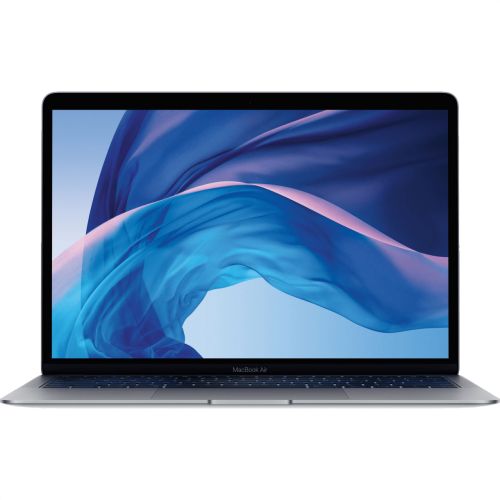
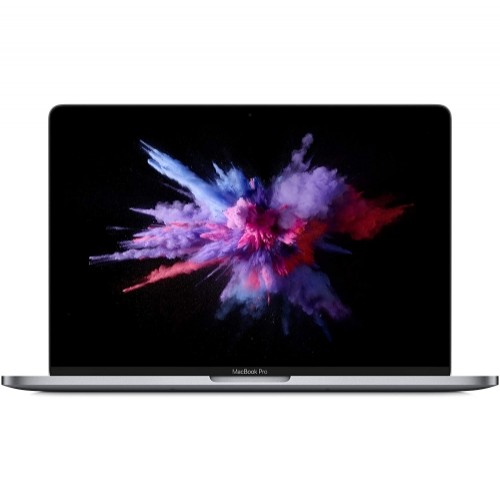
MacBook
What Model?
Change Device Selection


Paddington • Coorparoo • Calamvale

MacBook Screen Repair in Brisbane


From delicate Liquid Retina displays to the complex logic boards of Apple Silicon (M1/M2/M3), modern MacBooks require serious expertise to fix. At iRepair Experts Brisbane, we provide highly precise, hardware-level repairs for both MacBook Air and MacBook Pro models to get your machine back to factory standards.

Whether you have a shattered screen, a swollen battery, keyboard issues, or a logic board that won't turn on after a liquid spill, we don't guess. We run a diagnostic test first, find the actual problem, and give you a firm, upfront quote before we open your laptop.

Get a Quote Find Your Nearest Store
*Same-day options depend on parts availability and workload. Warranty terms apply.
 
Premium Parts + Workmanship

We do it by the book.

We inspect your MacBook first, confirm the quote with you, replace the damaged component, and run full system tests before you pick it up.

True Tone Calibration
Logic Board Diagnostics
12-Month Warranty Built-in
 
Google Reviews
Top Rated Local
 
4.9
 
Repair Range
Screen, Battery, Logic Board
Full hardware support for Air & Pro.
Pricing
Upfront Quotes
Firm quote provided after diagnosis.
Warranty
12-Month Warranty*
Eligible parts and labor covered.
Common Damage Patterns

How MacBooks Actually Break

They are built from solid aluminum, but the internals are delicate. Here are the three most common ways we see MacBooks damaged in Brisbane.

Cause: The Closed Lid Crunch

Cracked Inner LCDs

The tolerances between the keyboard and the screen are incredibly tight. Closing your MacBook with a pen, earbud, or even a webcam cover sitting on the keyboard will instantly crack the internal LCD panel.

Typical Sign: Black ink spots or colourful vertical lines.
Cause: The Coffee Spill

Liquid Damage & Corrosion

MacBook keyboards are not water-proof. Liquid seeps straight down onto the logic board, shorting out power rails. If not cleaned professionally immediately, corrosion sets in and kills the machine entirely.

Typical Sign: Won't turn on, sticky keys, or trackpad failure.
Cause: The Flexgate Strain

Display Backlight Failure

Opening and closing the lid thousands of times puts stress on the delicate display flex cables running through the hinge. Over time, these tear, causing the backlight to fail when the screen is opened past a certain angle.

Typical Sign: "Stage light" effect at the bottom or black screen.

How we actually fix it.

No smoke and mirrors. Here is exactly what happens when you bring your MacBook to us.

1
The Free Diagnostic
First, we test the logic board, battery cycles, and display outputs. We find the exact fault and give you a firm, upfront quote. If you choose not to proceed, you pay nothing.
2
The Hardware Swap
We open the chassis safely, clean out internal fans, and replace the broken component—whether that's a full display assembly, a new battery, or clearing liquid corrosion.
3
System Test
We run Apple's diagnostic sequence to ensure the webcam, True Tone, keyboard backlight, and battery management system are operating flawlessly before handover.
Common faults

Common MacBook Issues We Fix

From older Intel Airs to the latest Apple Silicon M3 Pros, here is what we see walk through our doors every day.

Screen Replacement
POPULAR
Cracked LCDs, dead pixels, vertical lines, or display backlight failures. We replace the entire top assembly to ensure perfect hinge tension and webcam alignment.
Battery Replacement
If your Mac says "Service Recommended", dies rapidly, or the trackpad feels hard to click (a sign of battery swelling), we install fresh, high-capacity cells safely.
Liquid Damage & Board Repair
Coffee, water, or wine spills. We tear down the machine, clean the logic board to stop corrosion, and assess what components need to be replaced.
Keyboard & Trackpad
Sticky keys from old spills, broken butterfly switches, or trackpads that won't register clicks or gestures properly.
Charging / USB-C Faults
Loose MagSafe or USB-C ports, burned-out charging chips, or logic board issues preventing the Mac from drawing power.
Not Turning On
Completely dead machines. We diagnose power rail shorts, corrupted OS issues, and hardware faults to find the exact reason it won't boot.

MacBook Repair Price List

Below is a guide for Apple Silicon (M1/M2/M3) models. Prices depend heavily on the exact A-Number printed on the bottom of your MacBook.
Model & A-NumberScreen RepairBattery Service
MacBook Air M3 13" (A3113) From $629 From $250
MacBook Air M3 15" (A3114) From $599 From $250
MacBook Pro M3 Pro 16" (A2991) From $799 From $250
MacBook Pro M3 14" (A2992) From $799 From $250
MacBook Air M2 15" (A2941) From $599 From $250
MacBook Pro M2 Pro 14" (A2779) From $799 From $250
MacBook Air M2 13" (A2681) From $599 From $250
Don't see your specific M1 or Intel model? Contact us for a direct quote.

Need repairs for other devices?

Select a category below to check our other price lists.

iPhone Repair
View pricing →
iPad Repair
View pricing →
Samsung Repair
View pricing →
Google Pixel Repair
View pricing →
Privacy Guaranteed

We don't look at your stuff.

We get it—handing over your unlocked laptop feels weird. That is why we have a strict hands-off policy. We only use Apple's built-in diagnostic menus to test the hardware.

Your documents, photos, and emails are 100% safe. Changing a screen or a battery doesn't wipe your hard drive, so you won't lose any data.

No Wiping Required
Total Privacy
Prep Your MacBook

Do these things before you drop by:

  • 1. Time Machine Backup: While your data is safe, it is always best practice to back up your Mac to an external drive before any hardware work.
  • 2. Know your password: We need to log in purely to run diagnostic tools on the screen, battery, and trackpad before we hand it back.
  • 3. Bring your charger: Especially if you are experiencing power, battery, or USB-C/MagSafe issues, bring your block and cable so we can test them too.
FAQ • MacBook repair

Quick Questions

Everything you need to know about fixing your MacBook with us.

Most MacBook screen repairs range from $449 to $999+, depending on the model and display type (Liquid Retina/Mini-LED vs older standard Retina). After diagnosis, we confirm the exact quote before any work starts.

Many MacBook screen and battery repairs can be completed same-day, depending on the specific model, parts availability, and current workshop workload.

Yes. Flickering, vertical lines, dead pixels, or a "stage light" effect at the bottom of the screen often point to a failing display assembly or damaged flex cables. We test your MacBook first to recommend the correct repair.

Liquid damage assessments start with cleaning and full diagnostics. After we clear out the corrosion, you'll get a clear report and a quote for any logic board components or keyboards needed to restore safe operation.

Yes. We safely replace degraded, swollen, or failing batteries for both Apple Silicon (M1/M2/M3) and older Intel MacBook Air and Pro models.

What Brisbane Locals Say

Don't just take our word for it. Trusted by thousands across Brisbane.


"Smashed the screen on my M2 Air after closing the lid on a pen. Brought it in and they replaced the whole assembly perfectly. Lifesavers."

— Mark D.
 

"Spilled coffee all over my MacBook Pro. They opened it up, cleaned the logic board, and managed to save the machine. Extremely grateful."

— Sarah L.
 

"My battery was saying 'Service Recommended' and the trackpad was getting hard to click. They swapped the battery out and now it's as good as new."

— James P.
 

"Had the dreaded backlight flickering issue on my older Pro. They gave me a really fair quote upfront and got it sorted. Honest guys."

— Rachel W.

Let's get it fixed.

Bring your MacBook down to one of our Brisbane shops. We will run a diagnostic for free and tell you exactly what it needs.

Message Us Find a Store
*Same-day options depend on parts availability and workload. Warranty terms apply.