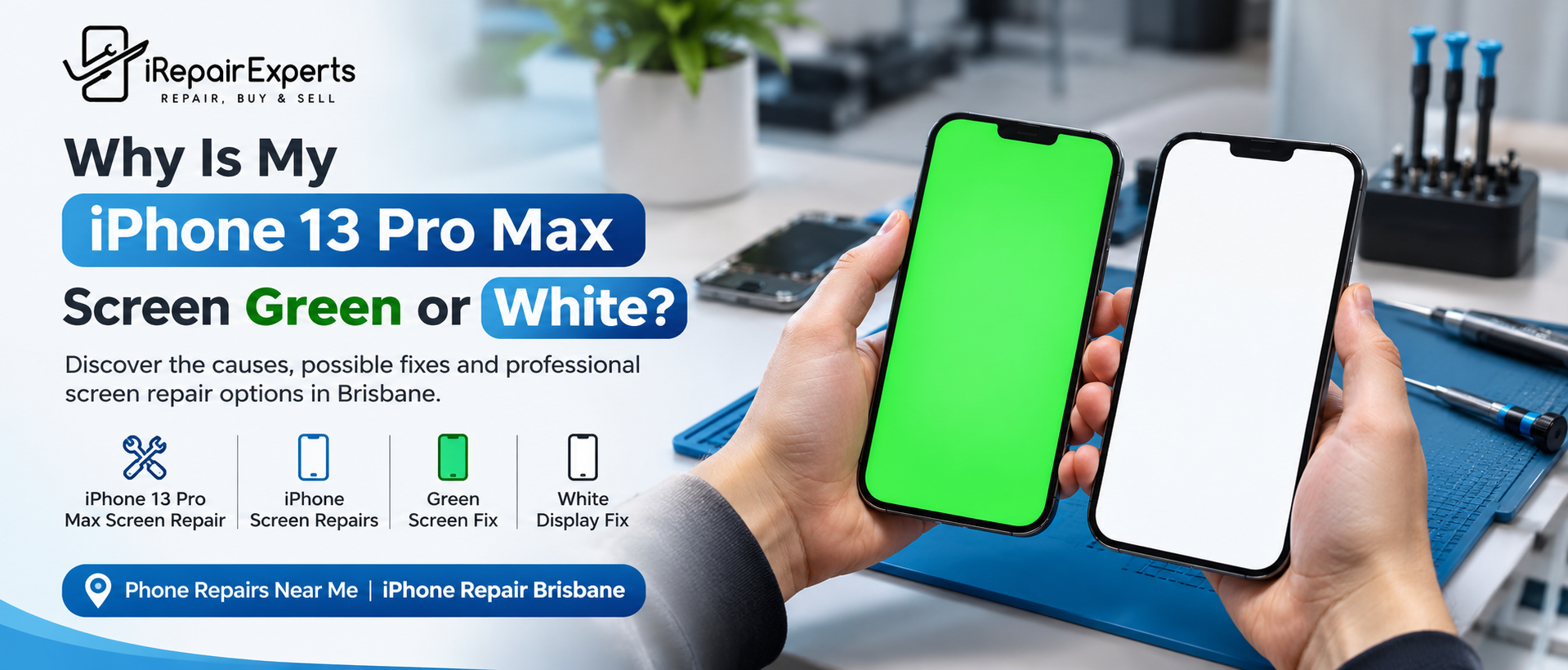
Your iPhone suddenly displays a bright green screen or turns completely white. The phone still rings, but you cannot read messages or access your apps. What causes this, and can you fix it without replacing the entire display?
In many cases, the problem is repairable. At iRepair Experts, iPhone 13 Pro Max screen repair begins with identifying whether the fault comes from the OLED panel, a display connection or the phone's internal circuitry.
Quick Answer: Why Has Your iPhone Screen Changed Colour?
A green or white screen can result from:
- A faulty or damaged OLED display.
- A loose or damaged display connector.
- A fault in the display signal circuitry.
- Physical impact or liquid exposure.
- A temporary software glitch.
Warning
Green Screen vs White Screen: What Is the Difference?
Although both problems can make your phone unusable, their causes can vary.
|
Screen symptom |
Possible cause |
|
Entire screen turns green |
OLED panel or display circuit fault |
|
Screen turns completely white |
Display panel, connector or signal fault |
|
Green vertical lines appear |
OLED damage or display connection issue |
|
Screen flickers before turning white |
Display hardware fault or connection issue |
|
Touch works, but no image appears |
Display-related fault despite the phone still operating |
The iPhone 13 Pro Max green screen issue can occur even when the outer glass is intact. Similarly, an iPhone 13 Pro Max white display does not automatically mean the entire phone has failed.
These symptoms provide clues, not a definitive diagnosis. A technician must inspect the device to confirm the cause.
3 Fixes to Try Before Replacing Your Screen
Before booking a repair, try these safe troubleshooting steps.
1. Force Restart Your iPhone
Quickly press and release Volume Up, then Volume Down. Hold the Side button until the Apple logo appears. This may resolve a temporary software issue.
2. Check For Physical Damage
Think about whether the problem started after a drop, pressure or liquid exposure. Avoid pressing the screen or attempting to heat the device.
3. Check Whether Your Phone Still Works
Listen for incoming calls or notifications. If the phone responds but the display remains unusable, the issue may involve the screen or its connection.
If the display stays green or white after restarting, arrange a professional assessment instead of repeatedly trying software fixes.
Screen Replacement or Micro-Soldering: Which Do You Need?
Not every display problem requires a new screen. During iPhone 13 Pro Max display repair, the technician should establish whether the fault is in the display assembly or the underlying circuitry.
|
Repair method |
When it may be suitable |
|
OLED display replacement |
The display panel is faulty or damaged |
|
Connector repair |
The display connection is damaged |
|
Soldering jumper method |
A confirmed circuit-path fault can be repaired |
|
Board-level repair |
Specialist diagnosis identifies a logic board issue |
The soldering jumper method reconnects a damaged electrical path using fine wire and specialist equipment. It may be appropriate for certain circuit faults, but it will not fix every green or white screen. Accurate diagnosis must come first.
How to Choose the Right iPhone Repair Service
When comparing iPhone screen repairs, check the technician's experience, diagnostic process, warranty terms and repair quote. Ask whether touch response and display performance will be tested before the phone is returned.
If you are searching for “iPhone repairs near me”, avoid choosing a provider on price alone. A correct diagnosis can prevent unnecessary part replacements.
For customers looking for iPhone repair Brisbane, iRepair Experts can assess display problems and advise whether screen replacement or specialist circuit repair is appropriate.
Closing Remarks
A green or white display does not automatically mean your iPhone needs replacing. The right iPhone 13 Pro Max screen repair depends on identifying the actual fault. At iRepair Experts, proper diagnosis helps determine whether display replacement, connector repair or micro-soldering is the most suitable option.
Need Help With Your iPhone Screen?
Need help with your iPhone's green or white screen? Contact iRepair Experts for repair advice and an assessment. Call 0731542890 or email contact@irepairexperts.com.au to discuss your symptoms and available repair options.
Frequently Asked Questions
Can An iPhone Green Screen Be Fixed Without Replacing The Display?
Sometimes. If the fault involves a connector or repairable circuit path, a specialist repair may resolve it.
Will A Force Restart Fix A White Screen?
It may resolve a temporary software glitch. Persistent white screens usually require further diagnosis.
Will I Lose My Data During Screen Repair?
Screen repair does not normally erase data, but backing up your iPhone beforehand is strongly recommended whenever possible.
Why Does My iPhone 13 Pro Max Screen Turn Green Suddenly?
A faulty OLED panel, display circuit issue or damaged connector can cause a sudden green screen.
Can An Ios Update Cause A Green Or White Screen?
Software issues can affect display behaviour, but persistent green or white screens often require hardware diagnosis.
Is It Safe To Keep Using An iPhone With A White Screen?
If the display remains unusable, arrange a repair assessment. Stop using the phone if it overheats or shows signs of liquid damage.
How Much Does iPhone 13 Pro Max Screen Repair Cost?
The cost depends on whether the phone needs display replacement, connector repair or specialist circuit work.
How Long Does iPhone 13 Pro Max Display Repair Take?
Repair time depends on the fault, parts availability and whether specialist micro-soldering is required.
Book a Brisbane repair in under 60 seconds.
Same-day service, genuine-grade parts, 12-month warranty. Walk-ins welcome at Paddington · Coorparoo · Calamvale.
Book a repair